For funeral homes, hospices, attorneys and care providers
Get found by the families who need you, and give them more than a PDF.
Omuna lists your organization where families search after a loss, and gives every family you serve a step-by-step plan for the months ahead. Fewer calls for your team, more families who remember you. Free for founding partners.
Get found
When families search, they should find you, not whoever paid the most.
Omuna’s directory is where families look for funeral homes, estate attorneys and grief support near them. Claim your listing and you’re in it, with the details you wrote. No one can pay to rank above you.
Get found
Claim your listing, so you’re there when families search.
Give more
Become a partner, and hand your families something better than a PDF.
Go to the application
The handoff
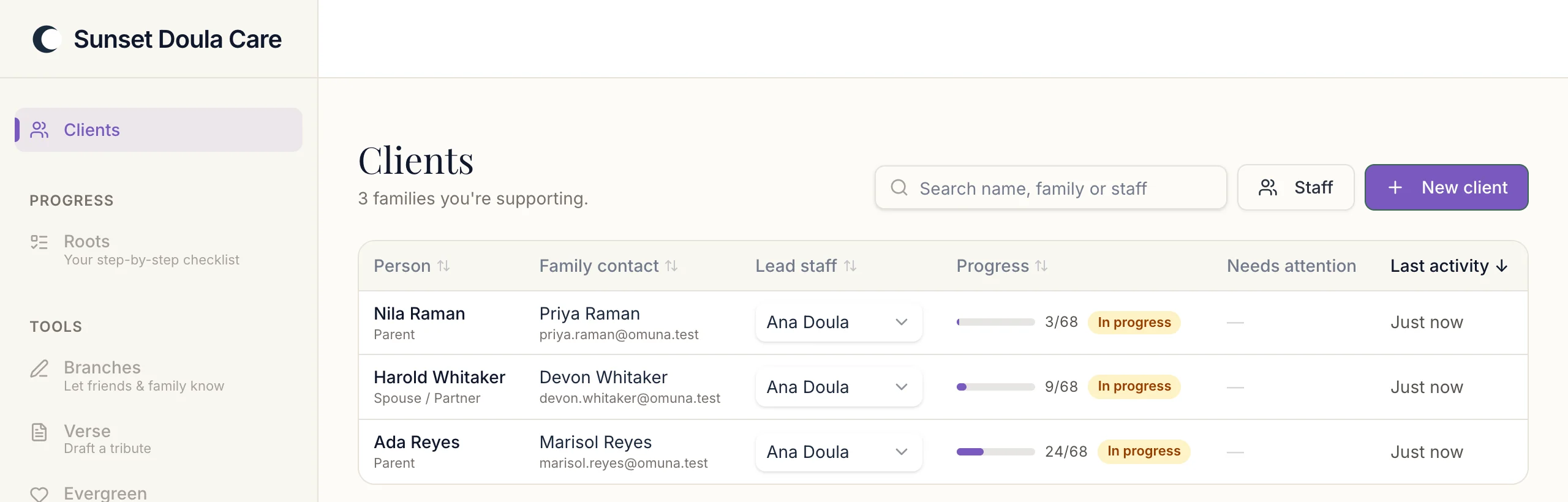
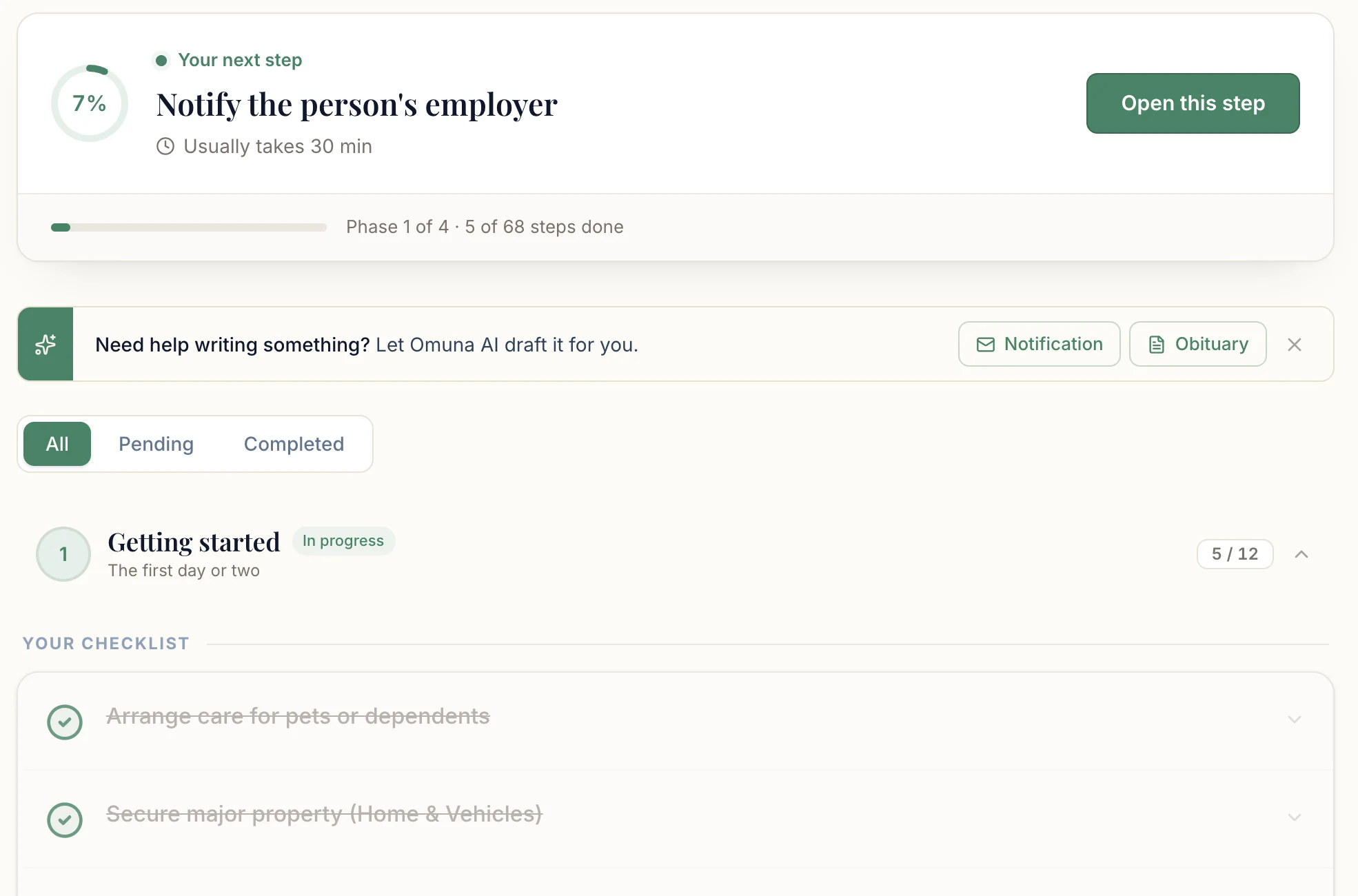
Families leave your care with a PDF that can’t track what’s done, point to their state’s offices or be shared with family. At 1am they’re searching “what to do after someone dies.” Omuna is that checklist, rebuilt to carry them through the months after your part ends.
Omuna’s checklist runs to 70 tasks. Almost none of them can be finished before the service.
Partner programs
Choose your program.
Funeral homes
Hospice teams
End-of-life doulas
Estate attorneys
Employers & HR
What you’d be handing them
The whole thing, in one place.
- 70
tasks in the after-loss checklist
Filings, claims, closures, transfers and notifications, sequenced into phases so a family always knows what is next.
- 161
guides, readable without an account
No sign-up wall and no email gate. Send one to a family today.
- 50 + DC
states with their own guides
Probate, executor duties and death certificates, written for every state.
- 15,000+
funeral homes already listed in Omuna’s directory
Claim yours and it’s there when families search.
How partnering works
Three steps, none of them technical.
Apply to be a founding partner
A short application at the bottom of this page: who you are, what kind of organization you run, and roughly how many families you serve. A person reads every one.
We set you up in the partner portal
We talk through how you work with families, then open your organization's space in the portal: the families you've shared Omuna with, and how far along each one is.
Families get the checklist immediately
They open it, answer a few questions, and get the full after-loss checklist plus the guides for their state. No app to download.
Founding partners
We’re onboarding our first partner organizations.
I read every application myself. Jason, Founder
After you apply
- A person reads your application, usually within two business days.
- We talk through how you work with families.
- We open your space in the partner portal.
Questions from providers
Does Omuna cost anything for my organization?
Omuna is free for our founding partners, with no contract and no per-referral fee. Families can start using Omuna for free.
What does “in beta” mean for us?
The partner portal is live and working with a small group of funeral homes. We're adding organizations one at a time so each one gets a real onboarding conversation, which is why this page asks for an application. The family checklist and the guides aren't in beta: anyone can use them today.
Does Omuna replace what we do?
No. Omuna replaces the PDF checklist, not the people handing it over. It covers the tasks outside your scope: closing bank accounts, notifying government agencies, filing insurance claims, canceling subscriptions and transferring titles.
How do families access Omuna?
You share a link. Families go to joinomuna.com, answer a few questions about their situation, and get the checklist immediately. There is no app to download. The guide library is readable without an account at all.
What kind of tasks does Omuna cover?
The checklist runs to 70 tasks across the whole arc after a death: death certificate filings, Social Security and government notifications, insurance claims, utility cancellations, account closures, title transfers, mail forwarding and digital accounts. Tasks are grouped into phases, and the ones that need a state office link (vital records, burial permits) carry one for all 50 states and DC.
Can I see what families see?
Yes, and you should before you hand it to anyone. The checklist is at joinomuna.com/checklist-tool and the guide library is at joinomuna.com/guides. Neither needs an account to look at.
Is family data secure?
Traffic between a family and Omuna is encrypted. A family's information is private to them, and only the people they explicitly invite into their workspace can see it. We do not sell personal information or share it with advertisers.
Guides you can send today
You don’t have to wait for a partnership.
Every guide Omuna publishes is open to read with no account and no email gate. Send one to the next family who asks you what happens next.